Connect your tools.
Drop in a command or agent. Connect text, JSON, and files. Let independent branches run in parallel.
 vorkflo
GitHub
Download
A visual editor for commands, scripts, and AI agents.
Connect steps, review commands, and inspect results on your Mac.
printf
tr
wc
cat
Four blocks. Two parallel branches. One final result.
Choose an example, then run it to see the execution order. The demo is simulated in your browser.
Works with your
installed command-line tools.
THE EDITOR
The canvas shows dependencies and run states. Select a block to edit its command or inspect its inputs, output, and errors.
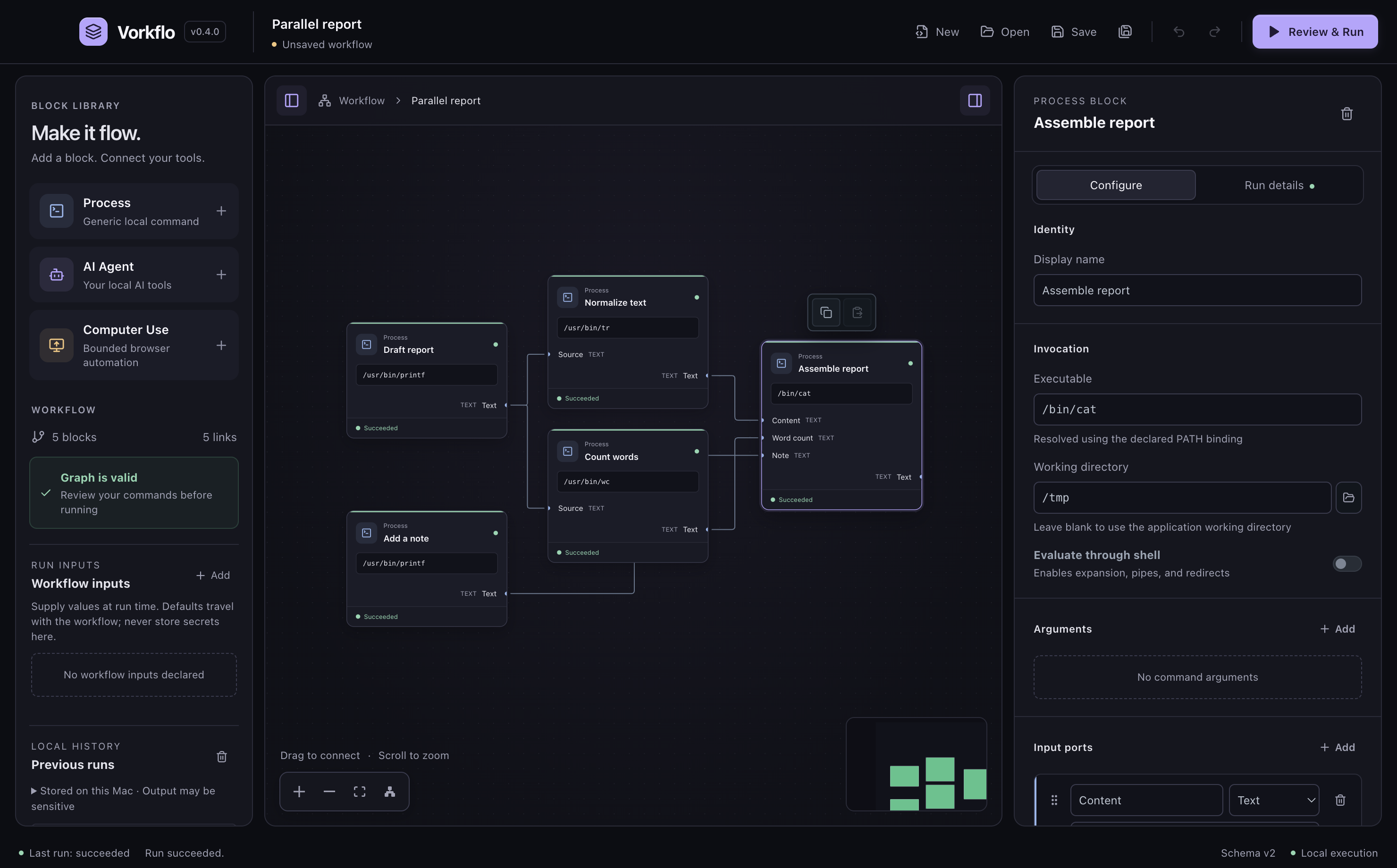
Drop in a command or agent. Connect text, JSON, and files. Let independent branches run in parallel.
Check commands, arguments, working directories, and environment bindings before you run the workflow.
See each step’s inputs, outputs, errors, and timing. Come back to local run history when you need it.
LOCAL EXECUTION
Workflow files, drafts, and run history are stored locally. Vorkflo starts the tools installed on your machine, using the paths and environment bindings you configure.
Connected tools may use their own cloud services.
WORKFLOW FEATURES
Turn trusted commands into reusable building blocks, with explicit arguments and visible connections.
Connect Codex, Cline, or Antigravity with visible instructions and optional Git worktrees.
Inspect outputs, errors, and timing after a run. History is retained for up to 30 days within a 100 MiB limit; records with retained worktrees are kept until cleanup.
Yes. Vorkflo is free and open source under the MIT license. You bring your own tools; any paid AI services or accounts those tools use are separate.
The desktop download supports Apple silicon Macs running macOS 12 or later. Install the command-line tools you want to use. Agent blocks also need the selected CLI’s authentication. Follow the installation guide.
The current release is unsigned and has not been notarized by Apple. Verify the download against the release checksums, then follow the installation guide’s steps if you decide to trust it. Get the checksums.
Vorkflo stores workflows, drafts, and run history locally. The tools you run can still access the network or their own services. Processes run with your operating-system permissions; review workflows as carefully as scripts. Read the security model.
There are no supported packaged releases for those platforms yet. Developers can explore the source and its setup instructions on GitHub.
VORKFLO FOR MACOS
Free and open source. Start with an example or build your own workflow.
Unsigned release. Read the installation guide